


*Note: Since the time of this review Fattmerchant has been purchased by STAX.
If you’re looking for ways to increase your profitability by processing purchases faster, look no further than Square and Fattmerchant. Both POS and payment processing systems allow you to seamlessly and quickly accept payments at a payment station, on mobile devices, or through online invoicing.
Fattmerchant focuses on providing exceptional merchant services, with features including card-present payments, mobile payments, invoicing, eCommerce, business reporting and analytics, and an API for direct integration with other platforms. They also provide customer tracking throughout all stages of their lifecycle, team management, and per-product sales reports.
Square is perhaps the most popular POS system on the market, mostly due to its fast setup and ability to accept payments with ease. The streamlined platform has essential features like secure payments, inventory management, loyalty programs, loyalty programs, CRM, and more.
In our Fattmerchant vs. Square comparison, we found that Fattmerchant is better for companies selling high-ticket items and conducting a large volume of transactions, while Square is better for smaller businesses. This is because Fattmerchant offers a flat rate payment processing subscription, while Square charges a percentage fee off each transaction.
If you process more than $80,000 annually, Fattmerchant charges a flat $99 per month (plus $0.08 per transaction). This works out to less than 1.5% per transaction, which is a total steal. For companies that sell less than $80,000, they charge 2.9% + $0.08 per transaction.
Square, on the other hand, charges 2.6% + $0.10 per transaction. This is a much better per-transaction rate for businesses accepting smaller purchases, but it really adds up once you start to scale.
Both platforms also allow for integration with popular apps like Quickbooks for expanded functionality. Let’s dive into the features, pricing, and support offered by both companies.
Quick Overview of These Two Providers
Fattmerchant
 Fattmerchant started with the idea that any business, big or small, should not be hindered by the cost of accepting credit cards. They offer a stable, monthly-based model that has proven successful in the industry. The brand exists to level the playing field for companies. They help to achieve growth by bringing fair, simple, and transparent processing to everyone.
Square
 Square derives its name from the free hardware that every merchant receives with an account. In 2009, the Square-shaped card reader is what launched the brand into the stratosphere in San Francisco. They seek to fill the niche of a small business’ mobile point of sale needs.
Fattmerchant vs. Square: Side-By-Side Comparison
 |  |
|
|---|---|---|
| POS Software Starting Price | but options available for a fee. |
|
Payment Processing | + 8 cents per transaction (+ 15 cents for manual entry). | (3.5% + 15 cents for manual entry) |
| Hardware | that come with subscription. | (additional hardware starts at $49). |
| Operating System | ||
| Analytics and Reporting | ||
| Employee Management | ||
| Customer Service | ||
| Integrations | ||
| Security |
Fattmerchant Features
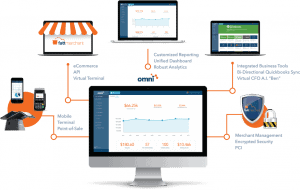 Fattmerchant offers a variety of features with a competitive edge. The system integrates with hundreds of common business tools that includes a two-way sync with QuickBooks Online. Keep processing as you always have with add-ons for:
- Management systems
- CRM
- Inventory and stock management
- Accounting
- And more…
Reporting and Analytics
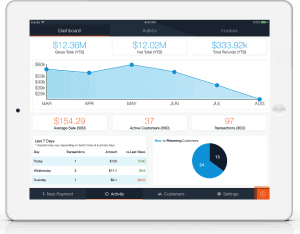 Fattmerchant offers a robust reporting feature that allows a business to be proactive instead of reactive. It takes the guesswork out of planning while you monitor health and make more informed decisions. This also allows you to see where and when you can improve.
The Difference Between Reporting and Analytics
The first thing you need to understand is that reporting translates data into information, while analytics transforms that information into insights. While reporting alerts people to what is happening and how it might affect them, analytics provides insights into why things are the way they are and what can be done to improve performance. Reporting is the collection, collation and dissemination of information relating to the business environment. It enables enterprises to monitor their online business and provide insights to decision makers. It includes data visualization, consolidation and organization, and standardized formatting of reporting output. It also enables self-service and ad hoc responses through real-time reporting solutions. A good example of this is a dashboard that displays all relevant KPIs in a concise, clear and structured manner. It allows users to drill deeper into a specific area of the dashboard to view the information in more detail and offer more context. A good rule of thumb is to limit the number of KPIs displayed to no more than three to six, as too many can lead to decision fatigue and overwhelm. A good example of this is system process maps (or flows) that describe the end-to-end sequence of a given business process. They identify bottlenecks and help uncover opportunities to solve problems to bring the business from its current sub-optimal state to a better future state. The results of these analyses are presented to decision makers to facilitate discussions and find solutions that will ultimately bring value.Online Payments
Send invoices and tokenize customer information with the online payments feature. Not only does this function well for service businesses, but the shopping cart feature enables a brand to set up an e-commerce store.
Mobility
Access the business anytime, from anywhere, and grab a convenient view of the data you need. The mobile-friendly dashboard provides access to users to manage all locations in one place and delegate important tasks.
Square Features
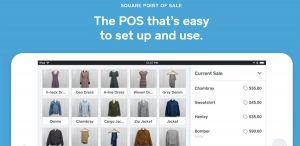 After serving the market for years, Square has built a catalog of features for a variety of industries. Restaurants can pay, tip, and sign on a Square mobile device while a retailer can send receipts via email or text. Other key benefits include:
Paperless Transactions
Accept payments using Android or Apple smartphones and tablets. The Square system automatically stores digital receipts.
Intelligent Reporting
 Square generates feedback via valuable analytics and intelligent reports. This type of access to real-time sales data and history gives a business valuable insight into operations. It enables a brand to make quicker business decisions, keep tabs on customers, and optimize the labor force.
Manage Inventory
Sign into the Square dashboard from anywhere to manage inventory. You can download reports on stock, order quantities in bulk, and receive daily alerts by mail. The system even allows a vendor to quickly import thousands of products via a CSV spreadsheet.
Email Marketing
Send automated emails to your list for more targeted marketing. Set up welcome emails, birthday offers, and more to establish strong customer relationships. The system lets you create new profiles at the POS to build your directory. Square also provides custom templates and a distribution list for easier emailing.
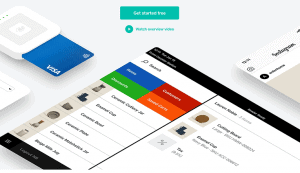 The Square POS system can extend functionality by seamlessly integrating with hundreds of apps that include:
- Invoice sending and tracking
- Booking and scheduling
- Employee management
- eCommerce
- Accounting and tax
Hardware
Fattmerchant Hardware
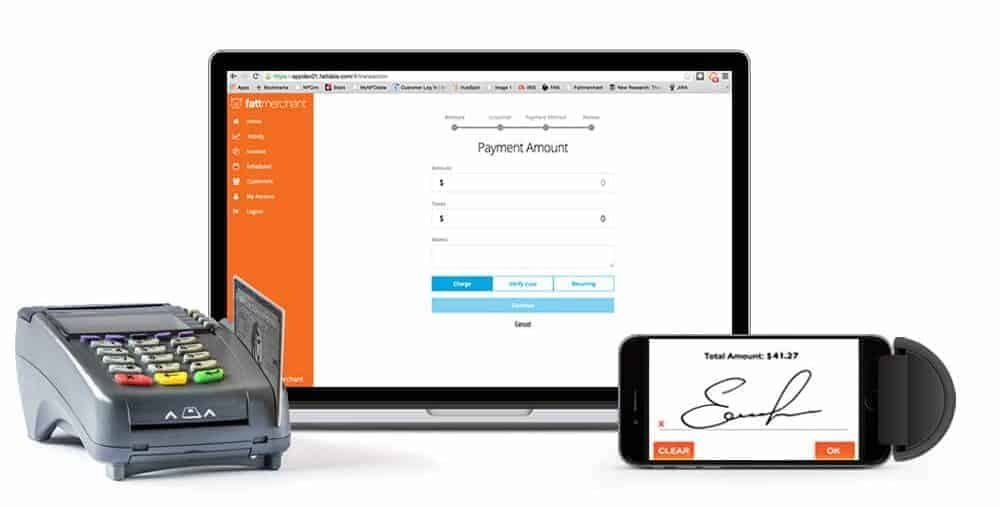 The Fattmerchant hardware is straightforward. The system comes with pre-programmed EMV terminals that accept all forms of payment including chip and contactless pay (Apple and Samsung).
Fattmerchant meets with each customer prior to programming the equipment to determine exactly what you need. Simply tell them what you want, and the terminal arrives ready to go.
Fattmerchant also has Bluetooth readers that can attach to your phone or tablet. Swipe or insert a card to complete a transaction in seconds.
Square Hardware
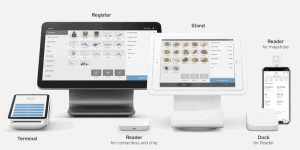
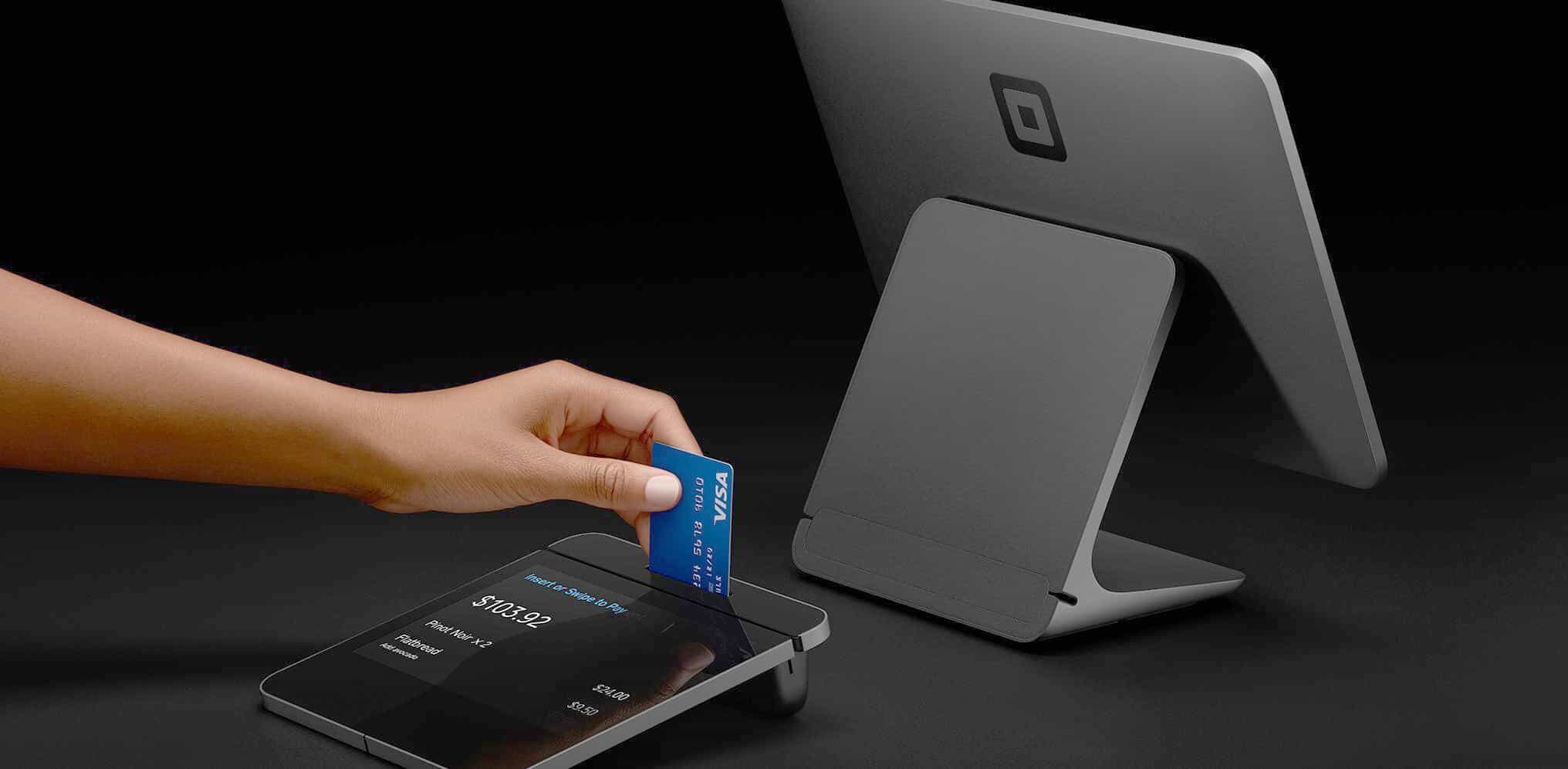 Square offers a variety of hardware choices and has 5 separate devices for card transactions. Square Stand and the original magstripe reader will only work with the platform. Here are the options you have for equipment with this product:
- Square Reader for Magstripe –swiped card payments via iOS and Android.
- Square Reader for Contactless and Chip –chipped, tapped, and swiped payments.
- Square Terminal – An all-in-one that accepts all payment types.
- Square Register – Fully functional system that includes a touchscreen and stand.
- Square Stand for Contactless and Chip – Built for iPad and includes the Square Reader.
Please note, for the Square Reader to work you must have access to wi-fi. It will not run transactions offline.
Software
Fattmerchant Software
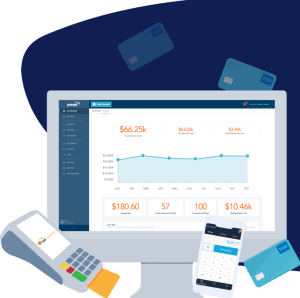
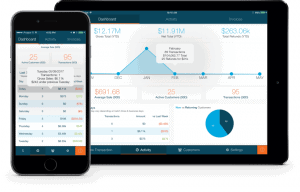 Fattmerchant’s Omni platform offers much more than just payments. One login allows a user to access all data from any device for a holistic view of your business. Monitor payments, refunds, deposits, and customer behavior all within the dashboard.
Whether it’s locations, tools, or solutions, Fattmerchant software allows you to manage multiple data points across your entire network. The Omni Company Overview Report helps a company accurately plan for the future.
Square Software
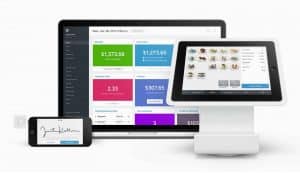
The Square software platform can be downloaded on both iOS and Android devices and used with any Square device (except the Square Register which comes with software).
 Additional features include:
- Customized text and printed receipts
- Store cards on file, send invoices, and process refunds
- Robust staff scheduling and management
- Accept cards offline and online
- Create a menu or catalog with custom categories
The Square app also allows a business to view advanced analytics, manage inventory, and integrate add-ons to streamline operations.
Cost
Square Costs
 The cost of using Square hardware:
- Square Reader for Magstripe – Free
- Square Reader for Contactless and Chip – $49
- Square Stand for Contactless and Chip – $199
- Square Terminal – $299
- Square Register – $799
Processing Fees
- 2.75% + 10 cents for any transaction that is swiped, tapped, contactless, virtual, or gift card.
- 3.5% + 15 cents for any transaction that is manual, on file, or entered virtually.
- 2.9% + 30 cents for any transaction that is through invoicing or e-commerce products
Fattmerchant Costs
 Fattmerchant is priced as a subscription service and is based on how much money your business processes annually (i.e. how much work the system must do). The starter platform is $99 per month and is for a business that brings in less than $500,000 a year. The monthly cost is $199 if your organization processes more.
The reason for a subscription-based model is that Fattmerchant does not charge an interchange fee. This is a non-negotiable rate set by card brands like Visa and Mastercard. They are variable on a number of factors including whether the card is credit or debit, how the payment is made (swipe or tap), and if the card is rewards or corporate.
Most payment processors include the interchange rate in the processing cost, so you never know what you are spending per transaction. Fattmerchant charges a monthly subscription to get the lowest rate possible.
The cost per transaction will change depending on the subscription you choose. These break down as such:
Customer Service and Support
 Since both platforms offer extensive features, they also have functions in place to support them. Fattmerchant’s Omni platform is the one-stop-shop for all knowledge on the system including an FAQ, forum, account updates, and direct access to the support team via chat. You are also assigned a dedicated account manager that knows your name, business, and everything you need for success.
Square offers the same level of support. However, since the brand has been around longer, they tend to have some complaints. This is especially apparent when it comes to the account termination process. When your account is closed for any reason, you are sent an email with no option to appeal.
Square answers all queries via phone or email. The 24/7 support center offers tons of materials like:
- POS tips
- Articles
- Guides
- FAQ
- Videos
There is also a seller community where you can interact with peers.
The Final Take
Choosing between Fattmerchant and Square may just boil down to the size of your company. When running high-volume transactions, a subscription-based model like Fattmerchant tends to save money. You are not being nickeled and dimed for every card that is run.
However, this can also be costly for a business that may only process a few transactions per month. If you are on the smaller end of the business spectrum, Square might be the best choice. The amount saved through Fattmerchant may not be enough to offset the subscription cost.
Fattmerchant is an a la carte service while Square is more inclusive. So, take that into consideration when making your choice as well. How much time do you have for customization? Do you need something up and running now? Considering these factors will help you decide which platform will drive growth, improve relationships, and add to your company’s bottom line.

