


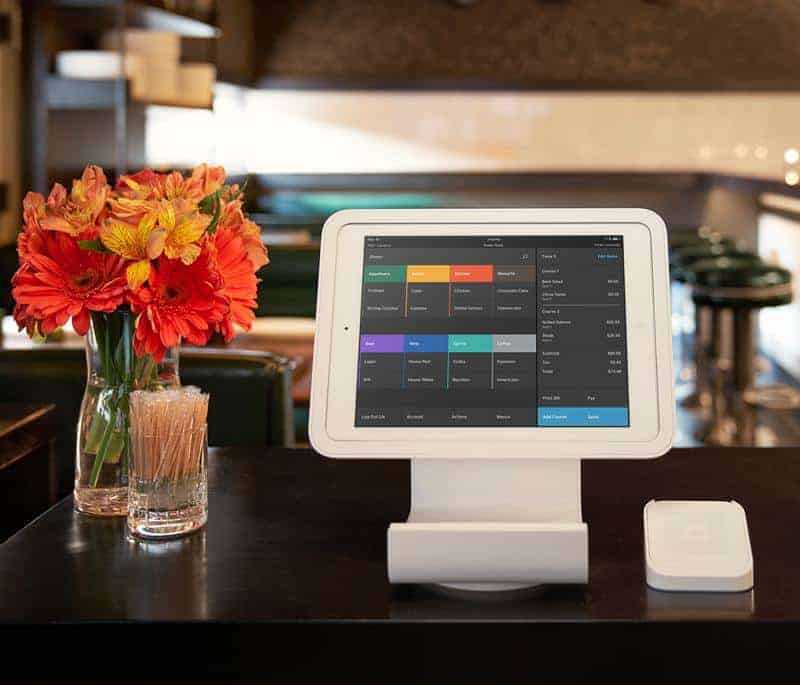
Short answer: Square works on any iPad running iPadOS 17.1 or later and on most Android devices running Android 7.0 or later. If you want the countertop Square Stand, though, you need one of a short list of USB-C iPads (below). Always confirm your exact model with Square’s device compatibility checker before you buy.
Not sure Square is the right POS? Compare Square with other POS systems and get free, no-obligation quotes matched to your business. Get free POS quotes →
Square tablet requirements at a glance
| Use | Requirement (per Square) |
|---|---|
| Square POS app on iPad / iPhone | iPadOS / iOS 17.1 or later |
| Square Reader for contactless and chip (2nd gen) | iOS 17.1+ or most Android devices on 7.0+ |
| Square Reader for magstripe | Headset-jack, Lightning and USB-C versions; iOS 17.1+ or Android 7.0+ |
| Square Stand (USB-C) | Specific USB-C iPads (see list) on iOS 17.1+ |
| Square Kiosk (USB-C) | iPad on iOS 17.1+ |
| Tap to Pay on Android (no reader) | Android 9 or later with NFC |
Best iPads for Square (Square Stand compatible)
Square Stand (2nd generation, USB-C) works with 10.9-inch and most 11-inch iPads:
- iPad (A16)
- iPad (10th generation)
- iPad Air (4th and 5th generation)
- iPad Air 11-inch (M2, M3)
- iPad Pro 11-inch (1st–4th generation)
iPad Air and iPad Pro models use the adapter included with the Stand.
Which to buy? For a counter POS, the standard iPad (A16) is the lowest-cost current iPad on the list. Choose an iPad Air or Pro only if you need the extra performance for other apps. An iPad that’s stuck on iPadOS 16 or earlier can’t get Square app updates, so avoid older used iPads.
Does Square work on Android tablets?
Yes. Square Point of Sale and the Square Reader for contactless and chip work on most Android devices running Android 7.0 or later, and Tap to Pay on Android needs Android 9 or later. Square doesn’t publish a certified list of Android tablet models, and it notes some devices have known issues. Check your exact tablet in Square’s compatibility checker. Square Stand and Square Kiosk are iPad-only.
Square hardware and pricing (2026)
| Hardware | Price (Square) | Needs a tablet? |
|---|---|---|
| Square Reader for contactless and chip (2nd gen) | $59 | Yes: iPad, iPhone or Android |
| Square Stand (2nd gen, USB-C), built-in reader | $149 or $14/mo over 12 months | Yes: compatible iPad |
| Square Kiosk (USB-C) | $149 or $14/mo over 12 months; Kiosk app $50/mo per device on Square Plus or $30 on Premium | Yes: iPad |
| Square Terminal | $299 or $27/mo over 12 months | No |
| Square Handheld | $399 or $37/mo over 12 months | No |
| Square Register | $899 or $44/mo over 24 months | No |
Monthly payment options are offered through Square’s financing, are subject to credit approval and aren’t available in every state.
Processing: 2.6% + 15¢ per tap, dip or swipe on Square Free, with no monthly fee and no long-term contract. Square Plus ($49/mo per location) and Square Premium ($149/mo per location) add features, and Premium has the lowest processing rates. Businesses processing $250K+ a year can ask for custom rates.
Skip the tablet? Square Terminal, Square Handheld and Square Register are all-in-one devices that run Square without your own iPad or Android tablet.
Tips before you buy a tablet for Square
- Check the exact model and OS version in Square’s compatibility checker.
- For Square Stand, buy one of the listed USB-C iPads; older Lightning iPads don’t fit the current Stand.
- Keep the OS updated; Square apps require iOS 17.1+.
- Receipt printers, cash drawers and scanners connect through the Stand’s USB hub or the network. See our guides to receipt printers and cash drawers.
- When running the Kiosk app, Square Stand/Kiosk can’t connect directly to accessories.
Square alternatives and related guides
- Square POS review
- Square for Restaurants
- Clover POS review
- Vend vs Square
- Tablet-based POS systems
- iPad restaurant POS systems
- Shopify POS hardware
- POS hardware guide
Compare Square with other POS systems. Answer a few questions and get matched with providers. Free, no obligation. Get my free quotes →
FAQ
What iPad is compatible with Square?
Any iPad running iPadOS 17.1 or later runs the Square POS app. For Square Stand (USB-C) you need an iPad (A16), iPad (10th gen), iPad Air (4th/5th gen), iPad Air 11-inch (M2/M3) or iPad Pro 11-inch (1st–4th gen).
What is the best iPad for Square?
For most businesses, the iPad (A16): it’s compatible with Square Stand and is the entry-level model on Square’s list.
Does Square work on Android tablets?
Yes. Most Android devices running Android 7.0+ work with the Square app and reader. Check your model in Square’s compatibility checker. Square Stand and Kiosk are iPad-only.
What is the cheapest way to use Square?
The free Square POS app on a device you already own plus the $59 contactless and chip reader, or Tap to Pay on iPhone/Android with no reader at all, on the Square Free plan (2.6% + 15¢ per in-person payment).
Can I use Square without a tablet?
Yes. Square Terminal ($299), Square Handheld ($399) and Square Register ($899) run Square without a separate tablet.

